Is it hard for you to find a good morning routine that works? If so, you should watch this to get some good and easy tips! Make sure to pay attention to the recap at the end, where it'll state everything we talk about!
Anna R., Grace M., Shea C.
Showing posts with label tutorials. Show all posts
Showing posts with label tutorials. Show all posts
Friday, April 16, 2010

Thursday, April 15, 2010
Commenting 101
This is a video made by Matt & Ian on how to comment on a blog post on Mr.Goerend.com.
Monday, April 12, 2010
MINORS
This video contains information on how and how not to get minors in 6th grade. Some of the minors that are in this videos are don't chew gum, no phones, don't be tardy, don't cheat, no talking. No minors were handed out in this film!!!!!
Sunday, April 11, 2010
Hallway Expectations
The things you can do during passing period are:
- get a drink
- get your supplies from your locker
- get to the next class
- talk to friends
- go to lunch
- how they walk
- what they do in between classes
Creating/editing a blog post
This tutorial will show you how to create and edit a blog post.


Creating a blog post.
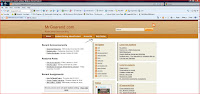
Step 1. First you must go to the blog page (mrgoerend.com) and click on help center in the upper page of the blog.
Step 2. Click on creating a post in the help center.
Step 3. Click the http://www.blogger/ that pops up onto the screen. Then enter your username and password in the right side of the screen.

Step 4. Click on New post.

Step 5. Type up your post, label your post, and when your done publish your post.

-------------------------------------------------------------------------------------------------
Editing a blog post
Step 1. Back at the blogger dashboard you will see right by the new post label the edit post button. Click on that.
Step 2. Look for your post on the list

Step 5. Click on the post you want to edit and fix whatever you want.
Subscribe to:
Posts (Atom)